
WEBORIK / RESEARCH ·
When Your Business Tools Don’t Talk to Each Other: The Power of System Integration
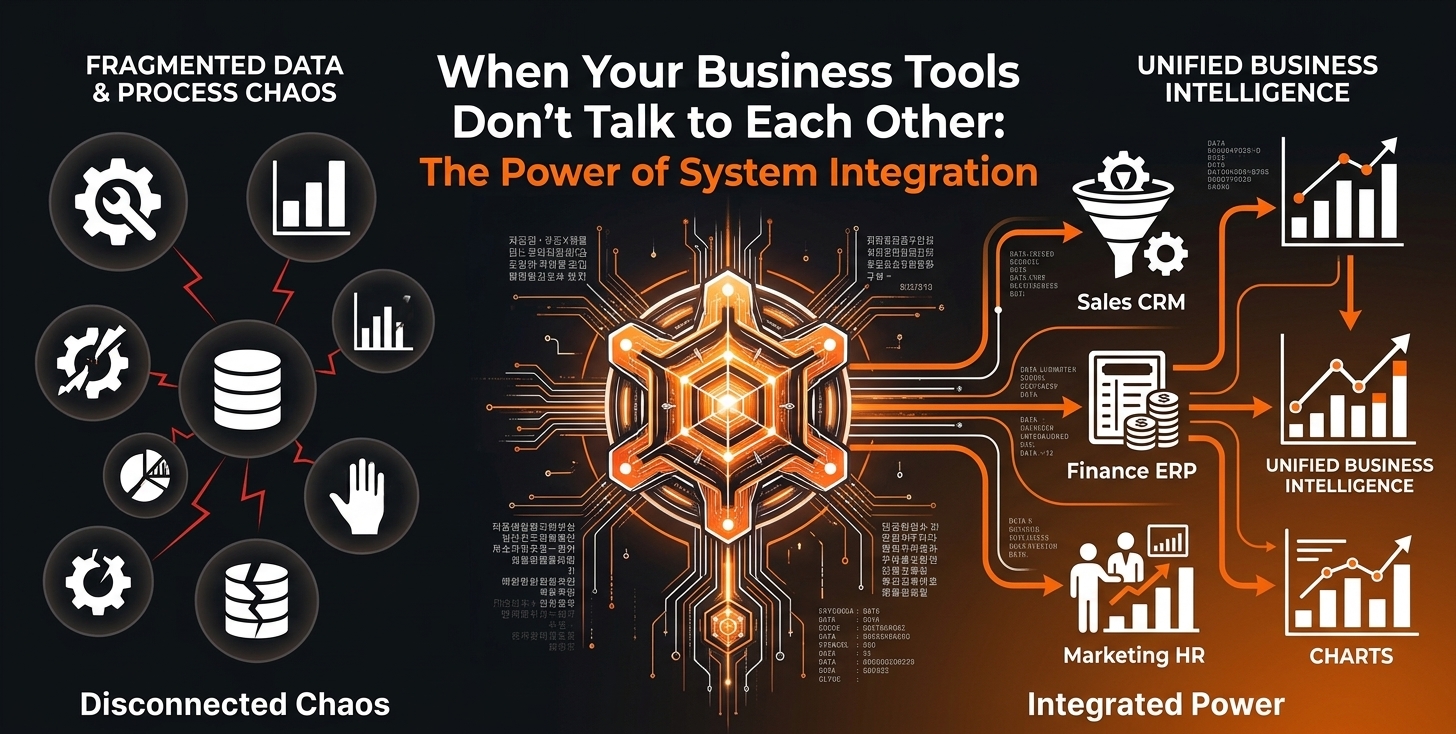
Modern businesses do not rely on ordinary systems where the backend functions work individually, but on smart systems where the information from one point is utilized. Generally, a business collects customer inquiries, uses a CRM to manage leads, has a payment platform to process transactions, and usually has separate systems to manage data, communication, and internal operations, communication, or internal operations.
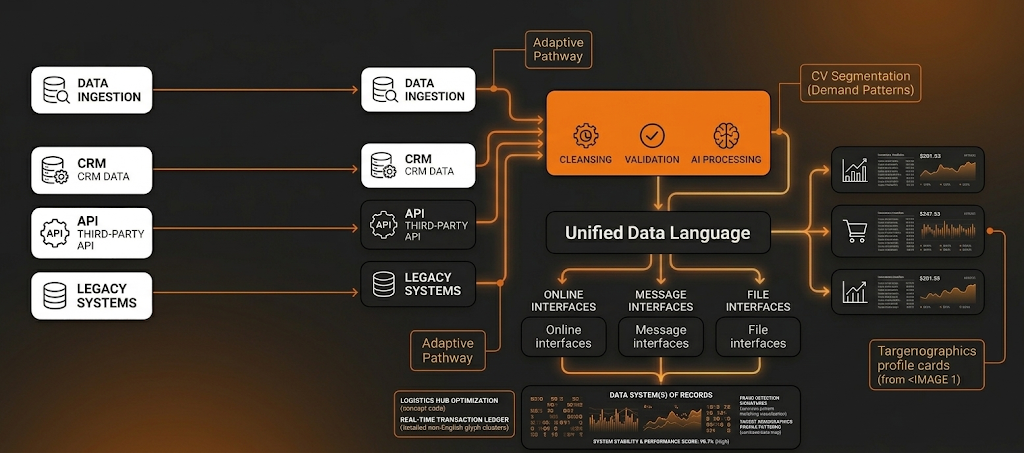
When you are organizing the business, you might think that this workflow is sufficient for business growth, but the process does not end there. The systems must facilitate communication between different tools and share relevant information to support subsequent processes, bringing all the data together. Otherwise, disconnected systems slow down over time, resulting in scattered data, even though the systems are intended to improve efficiency over time to meet the needs of pending orders.
This article explores how businesses can make better use of their data and how synchronization between systems can improve overall efficiency with the help of Weborik services.
Your Business Has Tools, but They Don’t Talk to Each Other
Studies suggest that businesses rely on somewhere between 6 and 12 different software tools. Each of these tools performs its intended function all the time without any break, so the system may run according to plan. But we’ve seen cases where, over time, the existing systems may struggle to handle increasing workloads, or business growth targets may not be achieved.
System integration is an aspect that new businesses often overlook, later seeking our help to resolve the resulting issue, as they were not considering it in the plan. This oversight can create problems in the long run. The issue is that the longer it is ignored, the more difficult it becomes to organize things.
What Is an Integration Layer
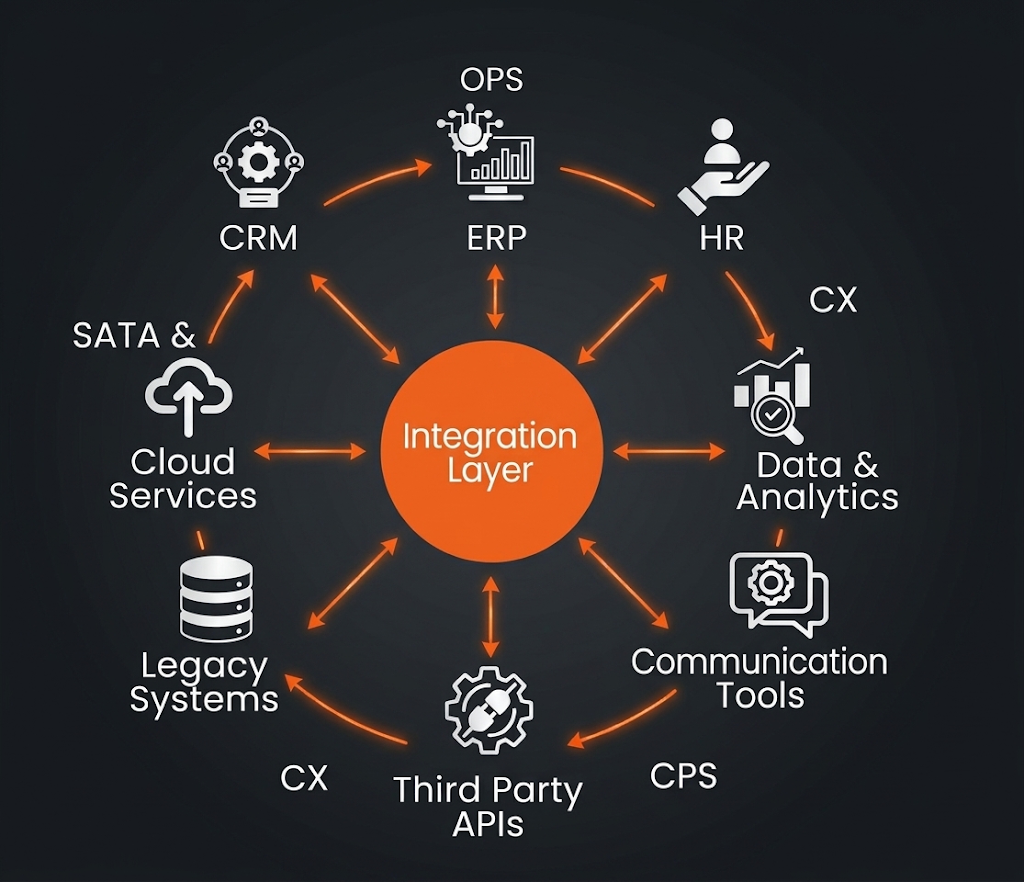
An integration layer is the part of a software architecture that is designed to enable communication between different applications, services, and databases. It receives information from one system, processes or transforms it when necessary, and sends it to the appropriate system in a format that it can understand.
How the Integration Layer Operates
Modern businesses use plenty of tools together to present the best services, and an integration layer may be needed to organize the data, facilitate communication between different tools, and the businesses simply have to pay more attention to the information exchanged through the integration layer instead of checking every tool in detail and then individually understanding what they are up to.
Here is how the flow works:
The integration layer can connect these systems into a single workflow.
Website → Integration Layer → CRM → Payment Gateway → Integration Layer → Database → CRM → Integration Layer → Email/SMS Service
What Happens When Business Systems Are Not Connected
Businesses may think about eliminating the use of an integration layer when they are in their early stages, but it is a big mistake, and soon they realize the significance of this layer. When the data isn’t synced, your team is the integration layer. This creates several operational problems:
Manual Data Entry
The most frustrating issue without an integration layer is that the team has to copy data from one tool to another. This not only increases the amount of repetitive work but also increases the risk of human error.
McKinsey documented an example of such a case where, in a banking process, because systems were not integrated, employees had to manually collect data from several systems and enter it into another workflow.
This meant the employee became the connection between the systems instead of the software communicating automatically, and this affected the bank’s performance at every stage.
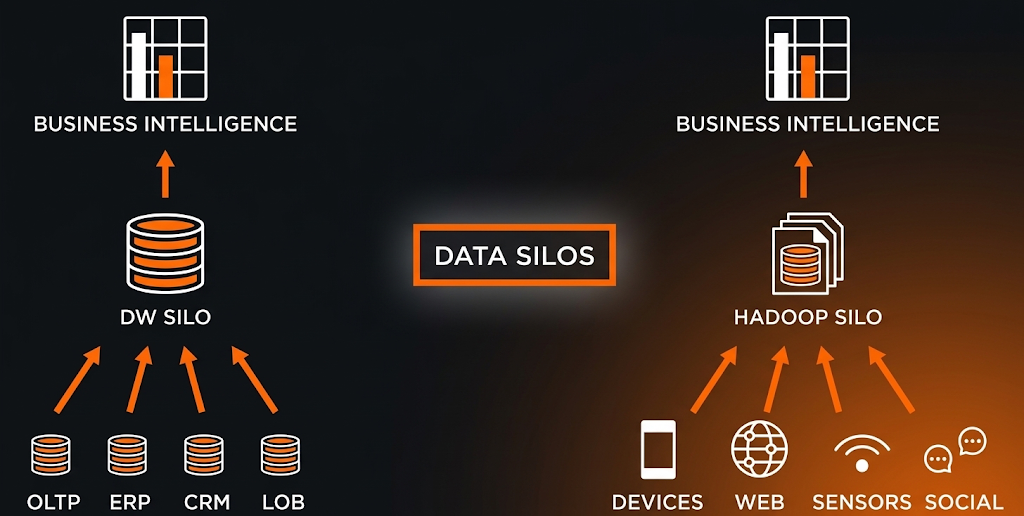
Data Silos
In businesses, data is a critical piece of information that must be secure. When individual tools, software, or other applications have to share data with every other business component, there is an increased risk of data breaches.
MuleSoft’s 2020 survey of 800 IT leaders from global enterprises found that 89% said, 89% said data silos were an obstacle to digital transformation.
Delayed Information
Speed is the key to success in a business if the direction is kept perfectly aligned. Manually dealing with the data is slow; updated data in one tool may seem slower in another tool, and all this can delay the overall progress.
Duplicate or Inconsistent Data
Identifying human errors then rectifying them is a headache. For instance, in a banking system, the same customer information may need to be entered into multiple systems, and matching the serial numbers, IBAN, name, address, and other information exactly is a critical task.
How Weborik Can Connect Your Business Systems
At Weborik, we create custom integration systems for our clients that align with their business workflows, making their tasks easier and more efficient.
Here is how we can help you:
API Development and Integration
Connect your CRM, software, websites, payment systems, and other applications using REST APIs and other suitable APIs tailored to your business requirements. Weborik offers API integration services.
Integration Layer Development
Let’s create the perfect integration layer for your business that is a bridge between your business systems, handling communication, data transformation, authentication, and error handling.
Backend Integration
For backend integration, always hire professionals like Weborik for efficient management and quality output. We offer backend integrations such as receiving data from one platform, processing it according to business requirements, and sending it to another system.
In addition to these services, we can provide services like database integration, third-party service integration, authentication, and security services. Visit Weborik to discuss your requirements further.